
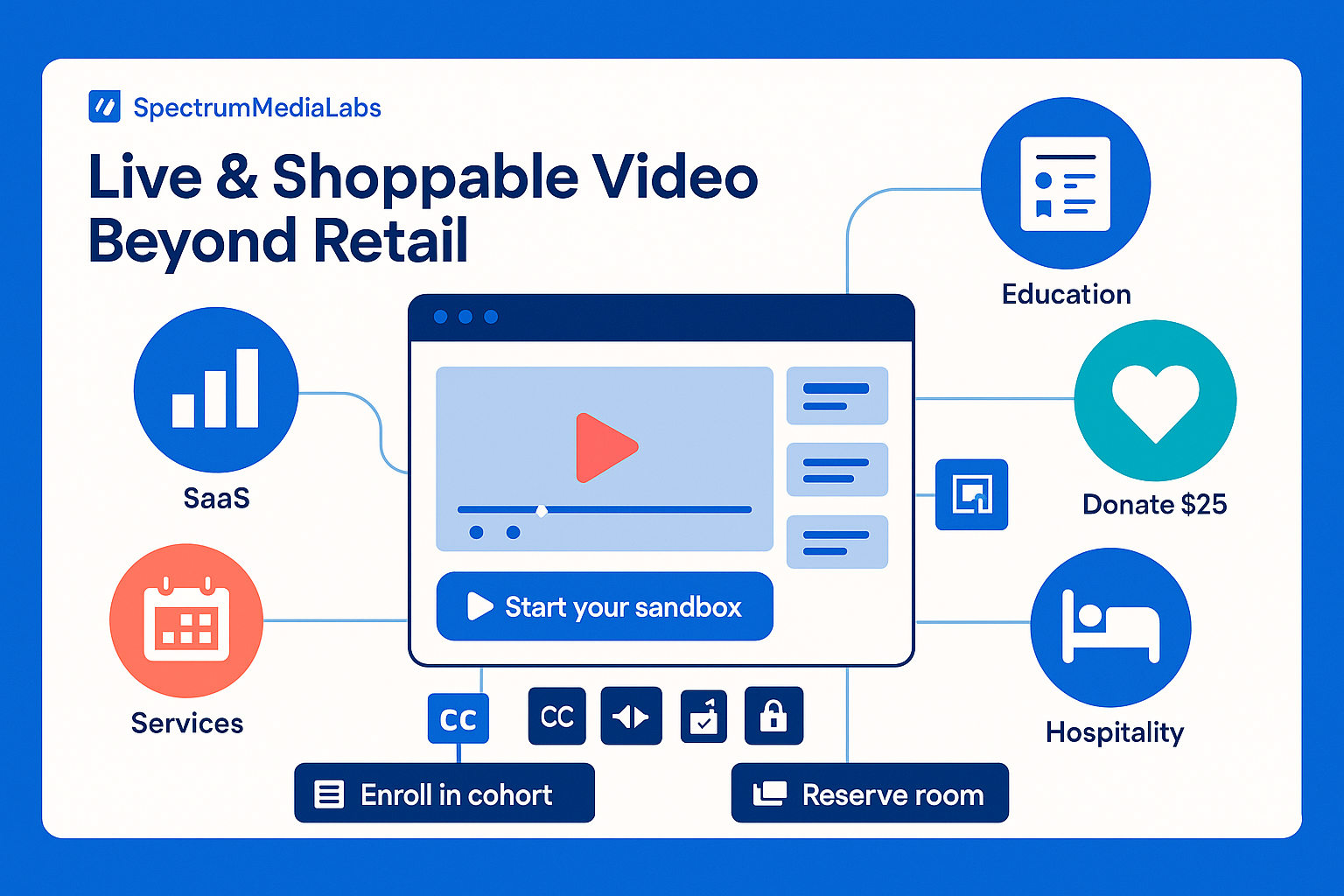
“Live shopping” sounds like lipstick and limited drops. But the mechanics—real-time proof + frictionless action—work far beyond retail. SaaS, education, media, fintech, hospitality, even non-profits can turn live or on-demand video into a direct response engine. The trick is to swap “add to cart” for the action your business actually needs—book, start, enroll, donate, subscribe—and design the stream (and overlays) around that single job.
This SpectrumMediaLabs playbook shows formats, offers, tech, run-of-show, measurement, and templates to deploy shoppable video where your product isn’t a hoodie.
First, redefine “shoppable”
Think clickable proof, not SKU grids. A shoppable moment is any on-screen element that can be acted on instantly—with context preserved.
Replace “Buy Now” with:
- Book now: demos, consultations, site visits, reservations
- Start now: free trial, sandbox, calculator, checklist
- Enroll now: course cohort, certification, workshop
- Donate now: one-tap preset amounts with impact receipts
- Subscribe now: paid newsletter, premium content, community
Rule: One primary CTA per segment. You can have multiple chapters, each with one job.
Formats that convert outside retail
1) Proof-Led Live Demo (SaaS/B2B)
- 20–30 minutes; 3 chapters: problem, proof, path.
- Overlay links: Launch trial, Book diagnostic, Download template.
- “Receipt” moments: screen shares, dashboards, customer artifacts.
Why it works: trust comes from seeing the actual workflow plus an easy next step that keeps momentum.
2) Workshop + Template Drop (Education/Content)
- 45 minutes; teach a compact skill live; drop a template at minute 10; upsell cohort/enrollment at minute 35.
- Overlays: Get the template, Join the cohort (limited seats), Scholarship apply.
Why it works: the free, usable artifact proves value; the cohort is the logical upgrade.
3) Office Hours with Immediate Booking (Services/Consulting)
- Recurring 30-minute Q&A; 2–3 slots reserved for live teardowns.
- Overlays: Book 20-min consult, Send asset for teardown, Download readiness checklist.
Why it works: real problems, real time; urgency from limited consult slots.
4) Experience Previews (Travel/Hospitality/Events)
- 15–20 minutes from location or set; show rooms/venues/menus; trigger reservation or ticket overlay.
- Add date picker inline or jump to pre-filled booking page.
Why it works: removes ambiguity; timing is tight; action is obvious.
5) Cause in Action (Non-profits)
- 25 minutes; field updates with impact receipts (what $25 does); instant donation amounts as overlays.
- “Donor wall” ticker pulls first names (opt-in).
Why it works: social proof + concrete impact + zero friction.
6) Chaptered VOD with Persistent CTAs (Always-On)
- Cut the live into 3–7 chapters; each chapter gets its own CTA sticker or button (e.g., “Start free trial,” “See pricing,” “Download deck”).
- Keep captions and timestamps; ensure overlays survive mute/scroll.
Why it works: most conversion happens after the live; chapters reduce cognitive load.
Offer design: what you’re actually selling
Outside retail, the “offer” is time and certainty.
- Risk-reversal: “We’ll set you up in 15 minutes—cancel anytime.”
- Time-boxed bonuses: “Book during the stream or within 72 hours to get the audit template + reviewer checklist.”
- Slots: “20 diagnostic slots this week” → show counter.
- Bundles: trial + template + live check-in (“office hours invite”)
- Price anchors: show equivalent value (hours saved, fees avoided, impact per $).
One-liner test: If the overlay title can’t finish the sentence “Do ___ now to get ___,” the offer isn’t ready.
On-screen anatomy of a high-converting stream
- Hook (0–20s): state the win and show a “receipt” visual immediately.
- HUD (heads-up display): fixed lower area with title + progress + CTA button.
- Chapter slates: every 4–8 minutes, a quick slate with the next CTA (“Download the checklist now”).
- QR + Short Link: for TV/desktop splits; pair each CTA with both.
- Live ticker (optional): recent actions (“Maya started a trial”). Use sparingly; keep it tasteful.
Accessibility: captions on; color contrast ≥ 4.5:1; motion subtle; respect prefers-reduced-motion.
Tech stack (agnostic and swappable)
- Video host: webinar/live studio or RTMP to social + embedded player. Must support chapters, cue points, and recording.
- Overlay/CTA layer: native buttons or third-party overlays (time-coded links, QR generator, coupon/slot counters).
- Destination pages: pre-filled forms (UTM + context in hidden fields), calendar picker, or instant trial.
- Attribution: pass
campaign,chapter, andcta_idto CRM; store first-touch vs chapter-touch. - Backup: mirror stream to a secondary platform; pre-record a 90-second safety segment.
Performance: If overlays slow or block the player, drop animations first, never the controls.
Run-of-show (30-minute demo template)
00:00–00:30  Hook: promise + visual proof; CTA appears (inactive for 20s)
00:30–05:00  Problem & stakes (one number, one screenshot)
05:00–12:00  Chapter 1: workflow A → CTA: Start trial (QR + button)
12:00–18:00  Chapter 2: workflow B → CTA: Download template
18:00–24:00  Chapter 3: results/compare → CTA: Book diagnostic
24:00–27:00  Q&A (3 common objections; answer with receipts)
27:00–29:00  Recap (3 bullets) + **Primary CTA** (repeat twice)
29:00–30:00  Next steps & what happens after you click
Roles (lean crew): Host (voice + pacing), Operator (scenes/overlays), Scribe (questions + timestamps), Support (chat links + triage).
Script beats (steal this)
- Hook: “If your team spends 30% of edit time on versioning, I’ll show you the one screen that cuts that in half. The template is already linked—grab it now or after Chapter 2.”
- Proof: “Here’s a before/after of time-to-variant. Watch the right side drop from 3 days to under 12 hours.”
- Objection turn: “Worried about legal/brand? Our overlays include rights checks—you’ll see the flag in Chapter 3.”
- CTA hand-off: “Click Start your sandbox now; I’ll keep talking while you open it. The next chapter works better if you’re inside.”
Offers & overlays mapping (example)
| Chapter | Visual “receipt” | Overlay CTA | Destination |
|---|---|---|---|
| 1. Proof (Dash) | KPI curve improving | Start free sandbox | /signup?sandbox=true&utm_chapter=ch1 |
| 2. Method | Template filled live | Get the template | /assets/editor-template.pdf?utm_chapter=ch2 |
| 3. Results | Before/after + case logos | Book 20-min diagnostic | /book?len=20&utm_chapter=ch3 |
Naming: SML-LIVE-2025Q4-CHO1-CTA-start-sandbox → shows up cleanly in analytics.
Measurement: beyond “viewers”
Track actions per exposure, not vanity counts.
- Primary: CTR on overlays, click-to-start (trial/booking), starts kept (meetings), donations completed.
- Chapter attribution: actions by chapter; find your money segment; promote that in VOD.
- Speed: median time-to-first-action; shorter is better.
- Quality: trial→activation, meeting→opportunity, donation repeat rate.
- Long tail: VOD chapter actions vs live actions (expect 2–5× more VOD conversions if chapters are tight).
Guardrail: If average watch time rises but actions fall, your overlays or offer timing are off.
A/B tests that actually teach
- First CTA timing: 30s vs 90s
- Overlay copy: “Start sandbox” vs “Try in 60s”
- Proof device: logo row vs named artifact (“budget email”)
- Chapter order: proof→method→results vs problem→proof→method
- Host style: expert voiceover vs customer interview
- Urgency: 72-hour bonus vs no bonus
Test one layer at a time (message, offer, or execution).
Compliance & brand safety
- Claims: numbers require a citation (link smol-text in overlay).
- Rights: no editorial-only stock in ads/promos; model/property releases for identifiable people/places; music cleared for live + VOD.
- Privacy: consent for names in tickers; opt-out visible.
- Accessibility: captions on; readable type; pause/stop controls for motion.
30/60/90 rollout for SpectrumMediaLabs
Days 1–30 — Pilot
- Choose one use-case (e.g., “Start sandbox demo”).
- Build a 30-minute run-of-show and three chapter CTAs.
- Wire attribution (UTMs,
cta_id,chapter_id). - Ship one live; publish chaptered VOD within 24 hours.
Days 31–60 — Systemize
- Add office hours weekly (consult overlay).
- Standardize overlays, QR designs, and destination pages with pre-filled context.
- Launch A/B on CTA timing; cut a 60-second highlight for paid.
Days 61–90 — Scale
- Add workshop format with a template drop; test 72-hour bonus.
- Introduce partner co-hosts (integration demo) with shared attribution.
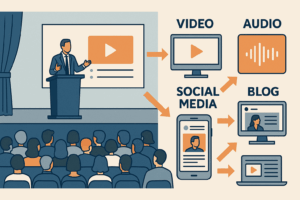
- Build a shoppable VOD library; syndicate to site, emails, and social.
Copy-paste assets
Overlay microcopy (10 options)
- Start your sandbox
- Book a 20-min diagnostic
- Get the template (free)
- See pricing with your data
- Claim one of 20 audit slots
- Enroll in the cohort
- Donate $25 (fund a day)
- Reserve your seat (limited)
- Generate the checklist
- Add to calendar (office hours)
Lower-third CTA (HTML)
<div class="cta">
  <strong>Cut edit time by 30%</strong>
  <a href="/signup?sandbox=true&utm_chapter=ch1&utm_cta=start-sandbox" class="btn">Start your sandbox</a>
  <span class="qr">🔳</span>
</div>
Thank-you/next step (post-click)
- “You’re in. Open your sandbox now; we’ll email the setup steps and invite you to office hours Thursday 10:00.”
Recap email (T+2h)
Subject: Links & chapters from today’s session
Chapters: 0:00 Hook, 05:01 Proof, 12:04 Template, 18:22 Results
Your next step: Book a 20-min diagnostic (slots this week).
Template link inside. Reply with a screenshot if you want a quick teardown.
QA checklist (ship-stoppers)
- Single primary CTA; overlays work on desktop + mobile
- Captions on; contrast ≥ 4.5:1; motion respectful of preferences
- Chapters defined; each with a unique
cta_id - Destination pages pre-filled; forms ≤ 4 fields
- Attribution verified end-to-end (test click lands in CRM)
- Backup stream + 90s safety segment loaded
- Rights & claims cleared; credit lines present where required
Bottom line
Outside retail, “shoppable” means removing every excuse not to act while the value is vivid. Show receipts in real time, keep one job per chapter, and make the next step effortless with smart overlays and pre-filled flows. Do that—and back it with clean attribution—and live/shoppable video becomes a repeatable channel for trials, bookings, enrollments, donations, or subscriptions, not just views.
Add comment