
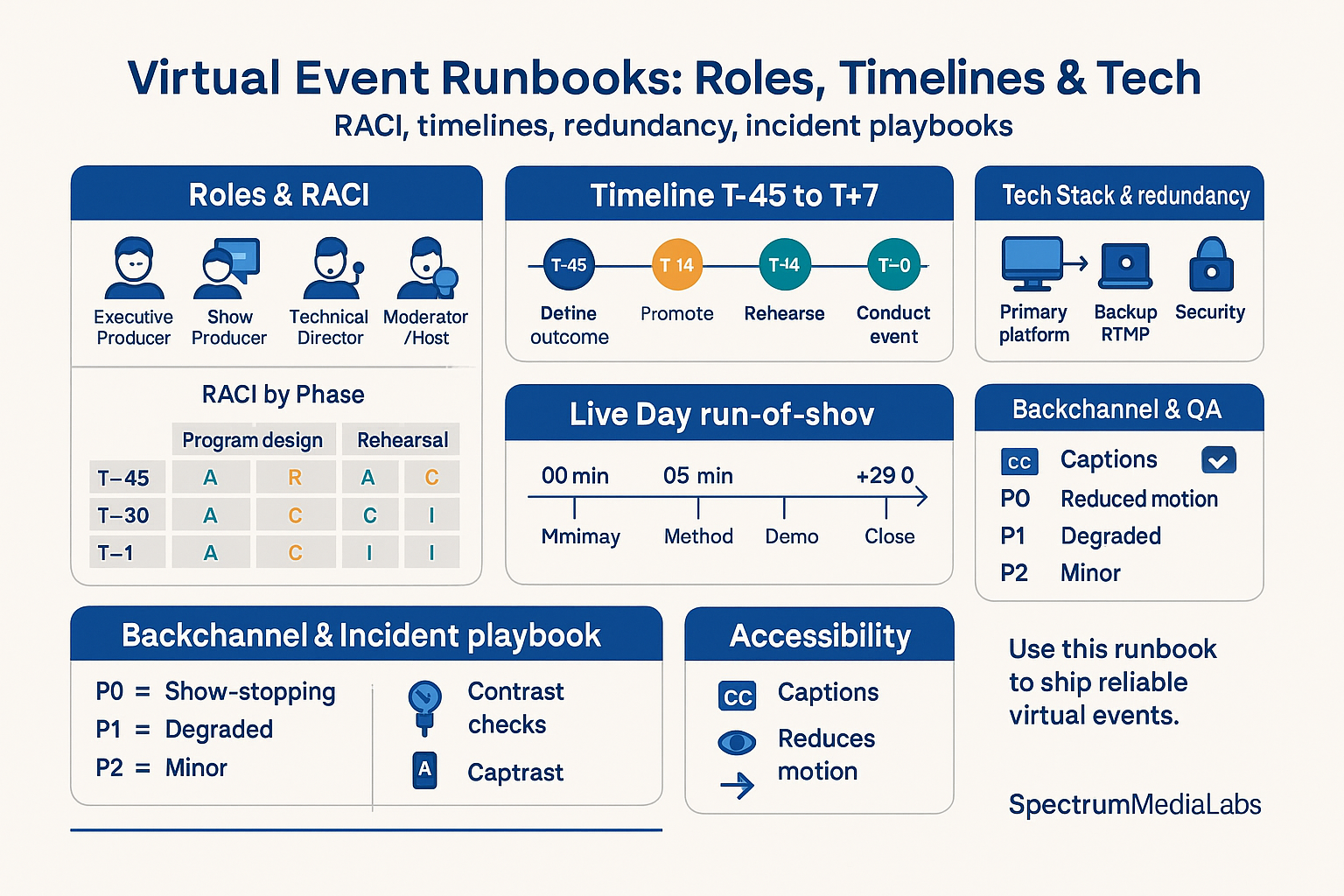
A virtual event is a live production with customer impact—and it deserves the same rigor as a product launch. “We’ll wing it on Zoom” turns into missed hand-offs, AV glitches, and vague follow-ups. For SpectrumMediaLabs, the antidote is a runbook: a single source of truth that locks roles, timelines, tech, and comms before cameras go live. This guide gives you the operating system: RACI, T-line schedule, tech stack with redundancies, live-day procedures, and copy-paste templates.
What a runbook must answer (in one page)
- Who owns what at every minute.
- What happens when (timeline from T-45 days to T+7).
- Which tools run the show—and what’s Plan B if any fails.
- How decisions/escalations happen in real time.
- What success looks like (targets + post-event pipeline actions).
If any of those are fuzzy, you don’t have a runbook—you have a calendar invite.
Roles & RACI (lean, but complete)
Core crew
- Executive Producer (A): scope, budget, success metrics. Tie-breaker.
- Show Producer (R): owns the run-of-show, cueing, backstage discipline.
- Technical Director (R): streaming platform, scenes, recordings, redundancy.
- Moderator/Host (R): opens/closes, timekeeping, reads chat/Q&A.
- Presenter(s)/Panelists (R): content, slides, demos.
- Chat Captain (R): monitors chat/Q&A, tags leads, feeds questions to host.
- SRE/IT (C/R on incidents): network, SSO, security.
- Scribe (R): timestamps, FAQs, action items for follow-ups.
- Marketing Ops (R): registration, reminders, UTM links, scoring, CRM routing.
- Accessibility Lead (R): captions, contrast checks, reduced-motion variants.
- Legal/Brand (C): release, consent, logo usage, claims.
RACI by phase (condensed)
| Phase | Exec Prod | Show Prod | Tech Dir | Mod/Host | Ops | Chat | Scribe |
|---|---|---|---|---|---|---|---|
| Program design | A | R | C | C | C | I | I |
| Speaker onboarding | C | R | C | C | I | I | I |
| Tech rehearsal | I | R | A | C | C | C | I |
| Live show | I | A/R | R | R | C | R | R |
| Post-event | A | R | C | C | R | I | R |
A = Accountable, R = Responsible, C = Consulted, I = Informed.
Timeline: T-45 to T+7 (ship dates you can actually hit)
T-45 to T-30 — Foundations
- Define audience, single outcome, and primary CTA.
- Lock format: keynote (30), panel (45), product demo (30), workshop (60).
- Choose platform + backup (see tech). Book ASL/captions if needed.
- Draft landing page (outcome-led title, agenda with timestamps, speakers, calendar buttons).
- Set targets: registrations, attendance ≥45%, CTA click rate, meetings booked.
T-29 to T-21 — Content & speakers
- Finalize outline (promise → proof → method → CTA).
- Collect slides (contrast ≥4.5:1; 6–10 words max per headline).
- Ship Speaker Kit (mic/lighting guidance, background, how to share screen, timing).
T-20 to T-14 — Tech & assets
- Build show scenes (title, lower thirds, split-screen, screen share, BRB).
- Prepare roll-ins (intro sting, 10-sec countdown).
- Load CTAs as short links + QR.
- Create worksheet/offer page.
- QA landing page & emails.
T-13 to T-7 — Promotion & rehearsal
- Email invites (T-14, T-7), partner posts, teaser clip.
- Table read (all speakers): pacing, hand-offs, Q&A rules.
- Tech rehearsal (full dress): record 5 minutes to check sync, levels, CPU.
T-6 to T-1 — Final locks
- Reminder emails (T-1 day, T-2 hours, T-10 minutes).
- Freeze slides; export a backup deck to PDF.
- Pre-record a 2–3 minute safety segment (in case of drop).
- Load attendee segmentation rules in CRM (ICP vs non-ICP).
T-0 — Live day
- Crew call T-60; green-room open T-30; doors open T-5 with countdown.
- Run show per minute-by-minute (below).
- Post show: thank-you slide with QR to CTA; keep room open 3 minutes.
T+1 to T+2 — Follow-up
- Send attendee email (chapters, deck, CTA) within 2 hours.
- No-show email (90-sec highlight, replay, CTA).
- SDR tasks from hot questions; AEs book diagnostics.
- Publish replay page with captions + chapters.
T+3 to T+7 — Debrief
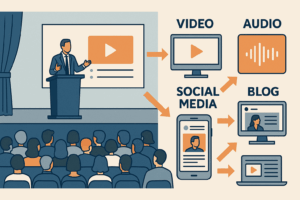
- KPI review vs targets; clip 2–3 moments for social.
- Convert recurring Q&A into FAQ article.
- Log learnings in runbook repository.
Tech stack (with redundancy)
1) Registration & comms
- Landing page with calendar buttons and UTM tracking.
- Email/SMS reminders (T-1 day / T-2h / T-10m) + ICS.
2) Studio & streaming
- Primary: broadcast studio or webinar platform (scene switching, RTMP, ISO records).
- Backup path: second platform logged in, or RTMP failover (YouTube Unlisted/backup RTMP) pre-configured.
- Local records by each presenter (QuickTime/OBS) as disaster insurance.
3) Interactivity
- Chat + Q&A with moderation, polls (1 binary), hand-raise or form for “send the template”.
- Live captions (automatic or human), plus downloadable transcript.
4) Monitoring
- Dedicated device for audience view (not logged in as host).
- Network: hardwire when possible; otherwise 5 GHz Wi-Fi + mobile hotspot standby.
- Audio: -14 LUFS target; -1 dB peak limiter on the program bus.
5) Security
- SSO/unique links; waiting room/green room; role-based permissions.
- Disable attendee screen share; kill-switch shortcut tested.
6) Data
- Webhooks/CSV to CRM: registrant status, attendance duration, poll answers, chat keywords, CTA clicks.
- Tag each lead with Campaign: {EventName} and Engagement score.
Live-day: run-of-show (30-minute format)
-00:10  Countdown + music bed
-00:01  Mic check final; clear chat
+00:00  HOST: “Welcome” (outcome + agenda) – 60–90s
+01:30  Problem & proof (1 stat, 1 receipt screenshot) – 2.5 min
+04:00  Method (3 steps; one slide per step) – 6 min
+10:00  Live demo (one path; zoomed cursor; large type) – 10 min
+20:00  Mid-webinar CTA (QR on slide + chat link) – 30s
+20:30  Q&A (5 prioritized questions) – 6–7 min
+27:30  Close (recap 3 bullets; primary CTA; where to get assets) – 60–90s
+29:00  Credits / next event teaser – 30s
+29:30  End screen; keep room open for 2–3 min
Cue discipline
- Host introduces; Producer advances scenes; Tech Director mutes/unmutes; Chat Captain feeds questions via backchannel.
- No live screen-share until Tech Director confirms “program feed OK”.
Speaker Kit (send once, avoid 100 DMs)
- Audio: USB/XLR mic; headphones (no echo); test in quiet room.
- Video: eye-level camera; key light 45°; neutral background.
- Framing: head-room two fingers; grid centered.
- Slides: 16:9, min 28–32 px body, contrast ≥4.5:1; cursor magnifier enabled.
- Network: 10 Mbps up min; close VPNs; disable heavy sync.
- Backup: PDF deck; phone hotspot; phone with platform app (audio-only fallback).
- On-air rules: no multitasking; mute when not speaking; hand-off phrases (“Over to you, Maya”).
Backchannel & incident playbook
Channels (rename to your tool)
#show-call: producer cues only (“Next slide”, “Hold”, “Skip poll”).#ops-warroom: registration, links, late speakers, VIPs.#audience-monitor: screenshots of glitches, questions themes, sentiment.#incidents: P0/P1 alerts.
Severity & response
- P0 (show-stopping): platform down, audio dead, host dropped.
- Action: run pre-recorded safety segment; Tech Dir triggers backup stream; Host rejoins; Producer posts status in chat.
- P1 (degraded): echo, out-of-sync, low volume.
- Action: Host fills 30–60s; Tech Dir resets source; move to next segment if needed.
- P2 (minor): slide typo, glitchy animation.
- Action: ignore; fix in replay.
Macros
- “We’re seeing lag; hold 30 seconds while we switch. The replay will be perfect and shared in 2 hours.”
Accessibility baked-in (not bolted on)
- Live captions + downloadable transcript.
- Slides: large type, no dense tables; avoid flashing >3/s.
- Respect
prefers-reduced-motionin any embedded demos. - Alt text on landing/replay images; high-contrast palette.
- Provide dial-in audio alternative.
Data model & follow-up (from attendance to pipeline)
Capture
- Registration source, role, account, consent.
- Attendance duration buckets (0–3, 3–10, 10–20, 20+ minutes).
- Poll answers + chat keyword (“TEMPLATE”, “AUDIT”).
- CTA clicks (tag with campaign + content).
Routing
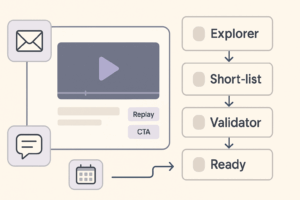
- Hot ICP (asked buying Q or clicked CTA) → AE task within 2 hours.
- Warm ICP (20+ minutes watched) → SDR sequence within 24 hours.
- Non-ICP → nurture; no AE task.
Emails
- Attendees T+2h: replay (chaptered), deck, worksheet, book time link.
- No-shows T+2h: 90-sec highlight, replay, same CTA.
- T+2d: case study tied to topic.
- T+7d: last-chance replay, then archive.
Metrics that matter
- Attendance rate (target ≥45%), avg watch time, chat/poll participation (≥20% of attendees).
- CTA performance (clicks, bookings within 7 days).
- Pipeline: opportunities created/accelerated, influenced pipeline $, win rate vs baseline.
- Quality: % ICP among registrants and attendees; audio/incident minutes ≤1% of runtime.
Run a 45-minute retro within 72 hours: what to keep, cut, change.
Copy-paste templates
1) Runbook (YAML)
event: "SML Virtual Summit — Modular Creative in Practice"
date: "2025-11-12"
duration: "45m"
objective: "Book 30 diagnostics within 7 days"
primary_cta: "Book a 20-min audit"
roles:
  executive_producer: "alex@sml"
  show_producer: "maria@sml"
  technical_director: "lee@sml"
  moderator: "nate@sml"
  chat_captain: "jo@sml"
  scribe: "taylor@sml"
platforms:
  primary: "StudioX"
  backup: "RTMP -> YouTube Unlisted"
redundancy:
  local_records: true
  safety_segment: "90s_PREREC.mp4"
timeline:
  t_minus_14d: "Invite #2 + partner push"
  t_minus_7d: "Tech rehearsal"
  t_minus_1d: "Reminder + calendar check"
  t_minus_10m: "Go live countdown"
success_targets:
  registrations: 450
  attendance_rate: 0.48
  cta_clicks: 120
  meetings_7d: 30
2) Speaker confirmation (plain text)
You’re confirmed for [Title] on [Date/Time].
Tech rehearsal: [Date/Time].
Please review the Speaker Kit (mic, light, slides, backups).
Live link (backstage): [URL].
We start on time; green-room opens 30 minutes early.
3) Slide skeleton
- Outcome promise
- Problem + proof (1 stat)
- Method (3 steps)
- Demo (one path)
- CTA + how to get the asset
- Q&A rules (how to ask, what we’ll cover later)
Common failure modes (and fast fixes)
- Multi-owner chaos. Fix: one Show Producer with final say on content/time.
- Platform roulette. Fix: pick a primary and a tested backup; practice failover.
- Slide novels. Fix: one idea per slide; speak to the detail, don’t print it.
- Weak CTA. Fix: single action tied to the promise; show it mid-show and end-show.
- Slow follow-ups. Fix: 48-hour rule with SDR/AEs; auto-create tasks from hot signals.
30/60/90 for SpectrumMediaLabs
Days 1–30 — Standardize
- Create a reusable runbook template (this doc) and a slide kit.
- Decide primary/backup platforms; write failover SOP.
- Build Speaker Kit; schedule monthly tech drills.
Days 31–60 — Execute
- Ship two webinars using the runbook; enforce rehearsal and 48-hour follow-ups.
- Launch a replay library with chapters and captions.
Days 61–90 — Scale
- Add partner tracks; publish public calendar; rotate formats (panel/workshop/demo).
- Instrument end-to-end analytics (UTMs → pipeline).
- Produce a quarterly highlight reel from local/ISO records.
Bottom line
Virtual events succeed when they run like broadcast: clear roles, locked timelines, rehearsed tech, and disciplined follow-up. Put everything into the runbook once, practice your failovers, and you’ll turn live minutes into measurable pipeline—reliably.
Add comment