
Most webinars fail before anyone presses “Join.” Titles are vague, agendas are bloated, and reminders arrive when your audience is already in another meeting. For SpectrumMediaLabs, the fix is to treat webinars like mini product launches: one job, one concrete outcome, and a disciplined funnel from registration to pipeline. This playbook gives you positioning formulas, funnel math, run-of-show templates, and copy-paste assets to ship a webinar people actually attend—and act on.
1) Pick one job (everything else is bonus)
Choose one primary objective and measure against it:
- Net-new pipeline (MQL → SQL from ICP accounts)
- Deal acceleration (opportunity stage movement within 14 days)
- Adoption/expansion (active usage or feature enablement)
- Category education/PR (qualified followers/subscribers)
Write it as a sentence:
“This webinar’s job is to get 30 ICP prospects to book a 20-minute diagnostic within 7 days.”
2) Positioning: the Value Triangle
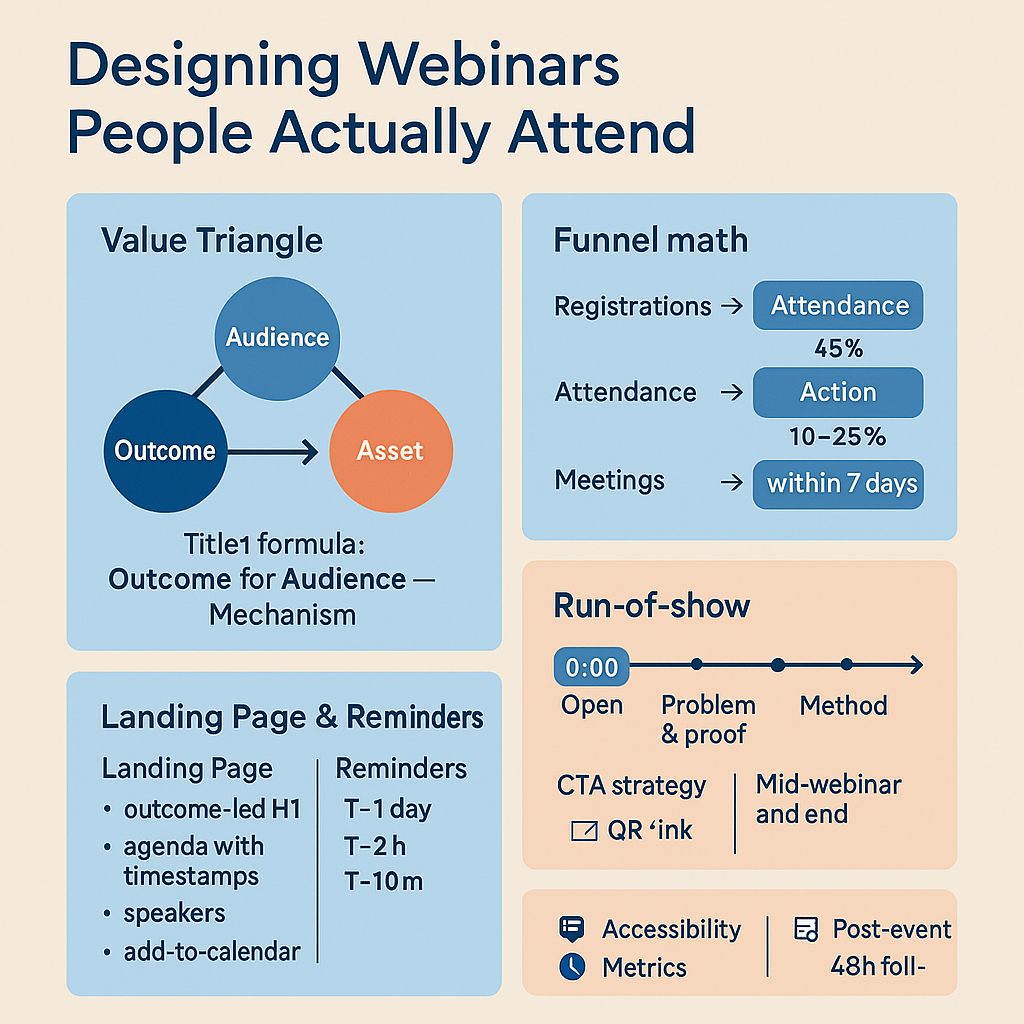
Great webinars promise a clear win for a specific audience using a proof asset.
- Audience: name the role + situation (e.g., “B2B marketers launching short-form in Q4”).
- Outcome: 1–3 observable wins (e.g., “cut first-frame drop-off by 20%”).
- Asset: a tangible takeaway (worksheet, calculator, template, checklist).
Title formula: Outcome for Audience — Mechanism
“Lift Reels Hold by 20% for B2B: The 15-Second Storyboard We Use”
3) Funnel math (so targets are real)
Key benchmarks (aims you can hit):
- Registration → attendance: 35–55% (target ≥ 45% with strong reminders)
- Live → action (primary CTA): 10–25% click/booking
- Replay open rate: 35–50% of non-attendees
Back-solve:
If you need 18 meetings and expect 20% of attendees to book, you need 90 attendees. At 45% show rate, target 200 registrations.
4) Landing page that converts (wireframe)
- H1 (outcome-led): “Cut Editing Time by 30% with a Modular Creative System (Live Demo)”
- H2 (who it’s for): “For growth/brand teams producing weekly short-form.”
- When & duration: date, time with auto-localized timezone, “45 minutes, no fluff.”
- Agenda with timestamps: 0–5 Hook; 5–20 System; 20–35 Demo; 35–45 Live teardown/Q&A.
- Speakers: 1 authority + 1 operator (headshots, 1-line credibility).
- Takeaway asset: plain image + 1 sentence (e.g., “You’ll get the storyboard worksheet.”)
- CTA: “Save my seat” → minimal form (name, work email, role, consent).
- Trust: logos or short testimonial about the method, not you.
- Accessibility: captions promised; alt text on images; contrast-safe palette.
Pro tip: put Add to Calendar buttons on the thank-you page and in the confirmation email.
5) Promotion playbook (no spam, real value)
Email sequence (registrant acquisition)
- T-14 days: Invite — promise outcome + asset; 3-bullet agenda.
- T-7 days: Proof — 1 mini case (3 lines) + speaker credibility.
- T-3 days: FOMO — “We’ll teardown 3 attendee examples live.”
- T-1 day: Last chance — time, link, “can’t make it? register for replay.”
Reminder sequence (attendance lift)
- T-1 day (morning): calendar file + “what to prep” (1 question you’ll answer).
- T-2 hours: quick reminder + link + local time.
- T-10 minutes: “We’re live in 10—grab the worksheet here.”
Optional opt-in: SMS/WhatsApp reminder with link.
Partner/ABM boosts
- Co-branded invite to shared accounts; partners get 5-minute spotlight if they bring attendees.
- Social: title card + 20-second teaser clip; staff shares with a why (“we’ll give away the MDE cheat table”).
6) Run-of-show templates (roles + minute-by-minute)
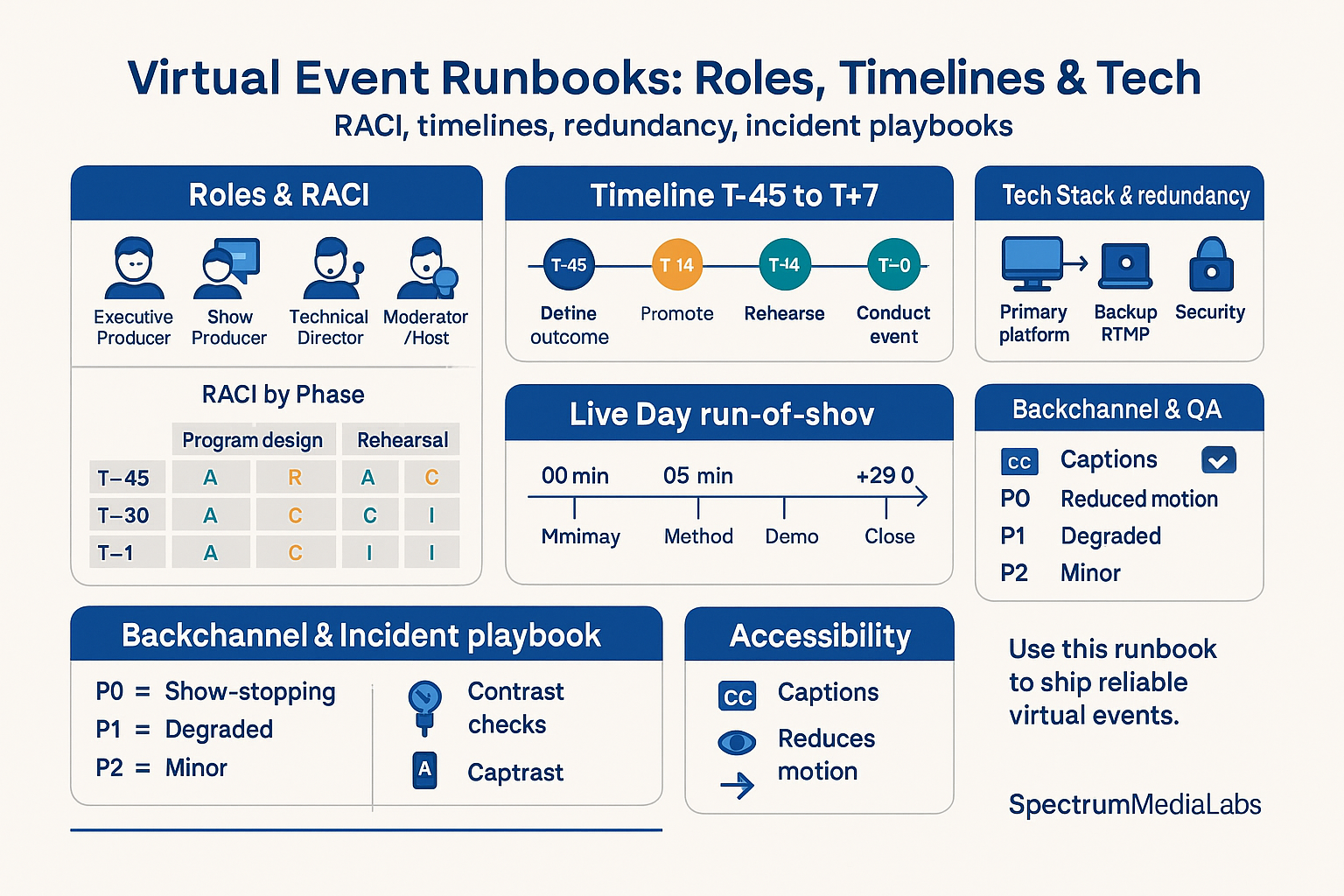
Core roles
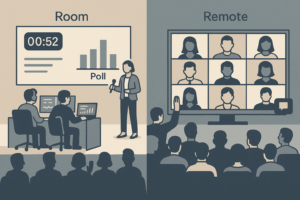
- Host/Moderator: opens, timekeeper, reads chat.
- Presenter/Operator: runs demo, answers technical Qs.
- Producer: records, captions, polls, backups, solves AV.
- Scribe: captures Q&A, timestamps, next-steps for recap.
30-minute format (high intent)
- 0:00–1:30 Open & outcome
- 1:30–4:00 Problem flip + proof (1 stat, 1 screenshot)
- 4:00–12:00 Method (3 steps; one slide per step)
- 12:00–20:00 Live demo (one path, not a tour)
- 20:00–25:00 Q&A / teardown (answer 5, park the rest)
- 25:00–27:00 CTA + time-boxed offer (e.g., 20 slots for audits)
- 27:00–30:00 Buffer (overrun, late joiners)
45-minute format (standard)
Add a poll at 3:00 and a mid-webinar CTA at 20:00 (“drop ‘audit’ in chat”).
7) Interaction that isn’t cringey
- First 2 minutes: one binary poll (“Do you storyboard short-form? Yes/No”).
- Mid-webinar: ask for a chat keyword to collect interest (“Type ‘TEMPLATE’ to get the deck + worksheet”).
- Live teardown: solicit 2–3 assets in advance; pick one live.
- Worksheet: share a 1-page template to fill during the session (Google Doc/Notion).
- Q&A discipline: prioritize repeated and ICP-aligned questions; park edge cases.
8) Production quality that people feel
- Audio first: USB/XLR mic, quiet room, headphones, hardwired internet where possible.
- Lighting/Framing: key light at 45°, eye-level camera, clean background.
- Slides: 1 idea/slide, 6–10 words for headlines; contrast ≥ 4.5:1; large cursor during demo.
- Captions: live if possible; always include in replay.
- Backups: spare deck link; the operator can present if host drops.
9) CTA strategy (one thing, twice)
- Primary CTA: book a diagnostic, start a trial, or download the tool and request help.
- Show once mid-webinar (for early leavers) and again at the end.
- Use QR on slide + chat link + follow-up email.
- Add a 72-hour window incentive (“We’ll run your asset readiness check this week—limited slots.”)
10) Post-event machine (48-hour rule)
Segmentation
- Attendees vs No-shows; ICP vs non-ICP.
Emails
- T+2 hours (attendees): “Here’s the deck + timestamps + your next step.”
- T+2 hours (no-shows): 2-minute highlight clip + replay + CTA.
- T+2 days: case study or teardown sign-up.
- T+7 days: last-chance replay; book time.
Replay page
- Chaptered timestamps, captions, resources, CTA above fold.
- Trim the first 60 seconds; remove dead air.
Sales handoff
- Attendee asked a buying question → task to AE with quote + timestamp.
- Scribe pushes FAQ sheet from Q&A to the library.
11) Metrics that matter
- Registration: count + ICP %
- Attendance: live show rate (target ≥45%)
- Engagement: avg watch time, poll response rate, chat participation (≥20% of attendees)
- Action: CTA CTR/clicks, meetings booked within 7 days
- Pipeline: opportunities created (new/accelerated), influenced pipeline $, win rate vs non-webinar benchmark
- Content: replay opens, 50% watch completion
Run a retro within 72 hours: What lifted attendance? Which slides lost people? Which questions repeated?
12) 30/60/90 plan for SpectrumMediaLabs
Days 1–30 (Foundation)
- Choose one job; define funnel math and targets.
- Build landing page + thank-you with calendar buttons.
- Write email sequences (acquisition + reminders).
- Draft slides using the 3-steps method; prep worksheet.
- Dry run with producer; fix AV.
Days 31–60 (Scale)
- Add partner co-promotion; enforce Add to Calendar and SMS opt-in.
- Introduce live teardown and chat keyword workflow.
- Formalize roles + run-of-show; record a backup version.
Days 61–90 (Optimize)
- A/B test titles (outcome vs mechanism) and start times.
- Build a chaptered replay library; turn Q&A into FAQ content.
- Report pipeline impact to Sales; lock a monthly cadence.
13) Copy-paste assets
A) Confirmation email (registrant)
Subject: You’re in — Calendar + what to prep
Hi [Name], you’re confirmed for [Title] on [Date, Local Time] (45 min).
We’ll cover: [3 bullets].
Bring: one example asset; we may teardown live.
Add to calendar: [ICS] [Google] [Outlook].
See you there — we start on time.
B) “We’re live in 10” reminder
Starting in 10 minutes: [Title].
Join link: [URL]
Grab the worksheet: [URL]
C) Attendee follow-up (T+2h)
Replay (with chapters), deck, and your next step
Chapters: 0:00 Hook, 05:02 System, 20:10 Demo, 35:18 Q&A
Next step: Book a 20-minute diagnostic this week — [Link]
D) Slide skeleton (first five)
- Outcome promise (1 line)
- Problem flip (stat + screenshot)
- Method (3 steps)
- Demo overview (the one path)
- CTA + how to get the asset
14) Pre-flight checklist (ship-stoppers)
- Single job + numeric target
- Title promises a specific outcome for a specific audience
- Landing page has timestamps, speakers, asset, and calendar buttons
- Reminders loaded (T-1 day, T-2h, T-10m)
- Captions enabled; slides contrast-safe
- AV check passed; backup deck & host
- CTA link + QR tested; calendar for office hours ready
- Follow-up templates scheduled for attendees/no-shows
Bottom line
People don’t attend webinars to be pitched; they attend to win. Promise a precise outcome to a specific audience, deliver it in 30–45 minutes with interaction that respects their time, and make the next step effortless. Run this like a launch—crisp positioning, disciplined reminders, a tight run-of-show, and 48-hour follow-up—and your webinar stops being a calendar filler and starts being a pipeline engine.

Add comment