
Introduction
Most brands handle reviews like a compliance chore: mass emails, generic replies, five emoji hearts. Customers—and editors—can spot the script a mile away. Robotic review management doesn’t only feel cold; it also depresses helpfulness votes, hides real root‑cause signals, and triggers platform filters that demote duplicative language. This guide gives you a practical, human‑first system for asking, moderating, and responding to reviews that earn trust and drive operations forward.
Principles: The 5 H’s of Human Reviews
- Honest: Say the plain thing. Don’t vapor‑speak (“We value your feedback”). Name the issue and the fix.
- Helpful: Add facts a future buyer would need (model, date, resolution, policy link).
- Humane: Sound like a person, not LegalBot. Use names, “I” and “we” correctly, and short sentences.
- Here‑and‑now: Respond quickly (within 24 hours), then follow up when resolved.
- Humble: Thank loudly; apologize cleanly when you’re wrong—no “if you felt that way” hedges.
System Design: From Signals to Stories
Map Your Moments of Truth
Identify 5–7 events that naturally produce reviews:
- Delivered order + 2 days
- Completed service/appointment same day (after payment)
- Resolved support ticket (CSAT ≥ 9/10)
- Milestone (90 days of use; contract renewal)
- In‑store praise captured by staff (QR code)
The NPS Segmentation Switchboard
- Promoters (9–10): ask for a public review now with 1‑tap links to Google/Apple/Trustpilot; suggest a specific detail to mention (e.g., the tech who helped).
- Passives (7–8): ask for private feedback and one improvement; no public ask yet.
- Detractors (≤6): route to a human, promise a callback time, and follow with a personal email—never ask for a public review.
Channels and Cadence
- SMS: best 2–6 hours after service; 160–220 characters, one link.
- Email: best for ecommerce; send 2–3 days after delivery with photo/UGC prompt.
- In‑app: on milestone screens (“100 tasks completed—mind sharing how we helped?”).
If no response, one gentle reminder after 3–5 days. Then stop.
Ask Copy That Doesn’t Sound Like a Robot
Robotic
“Dear Valued Customer, we hope your experience met expectations. Please leave a review.”
Human
“Hi {{first_name}}, I’m {{agent_name}} who fixed your {{issue}} today. Was everything sorted? If yes, a quick Google review with a detail like ‘what changed for you’ helps others decide: {{short_link}}. If not, reply here—I’ll make it right.”
Ecommerce (post‑delivery)
“Your {{product_name}} should have arrived by now. What surprised you most—fit, color, setup? Two lines here help future buyers: {{short_link}}. If something’s off, reply and we’ll swap it.”
In‑store
“Thanks for stopping by today. If {{staff_name}} made life easier, would you mention them in a quick review? It matters for bonuses: {{qr_or_short_link}}.”
Guardrails
- Don’t offer incentives on platforms that forbid it; never gate reviews (only asking happy users).
- Rotate 3–5 ask variants to avoid spammy repetition and to learn what lands.
Reply Frameworks That Read Like People Wrote Them
Use short, modular frameworks so teams stay consistent without sounding canned.
For Positive Reviews: G.L.O.W.
Gratitude → Lift a specific detail → Open a next step → Warm sign‑off.
Example
“{{reviewer_name}}, thanks for calling out Jamal by name. He rewired the sensor on the first visit—that’s the standard we aim for. If you ever need weekend help, text this number and we’ll slot you in. — Maya, Service Lead”
For Mixed/Neutral Reviews: C.A.R.E.
Clarify the context → Acknowledge the impact → Resolve (or plan) → Extend an invitation.
Example
“You’re right: last week’s update logged people out. That broke autosave on drafts, and you lost time—that’s on us. We’ve patched it in v.4.3.2 and restored your last version. Want us to walk you through backup settings? — Ken (PM)”
For Negative Reviews: H.E.A.R.D.
Hear the issue → Empathize without hedging → Action with a date → Reassure with policy or make‑good → Direct line.
Example
“I read your note about the scratched lens. I would be upset too. I’ve set a replacement to ship today and credited $25 for the hassle. If it’s not scanned by 6pm, I’ll overnight it—here’s my direct line: maya@brand.com.”
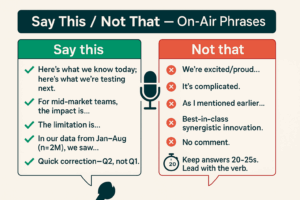
Banned Phrases
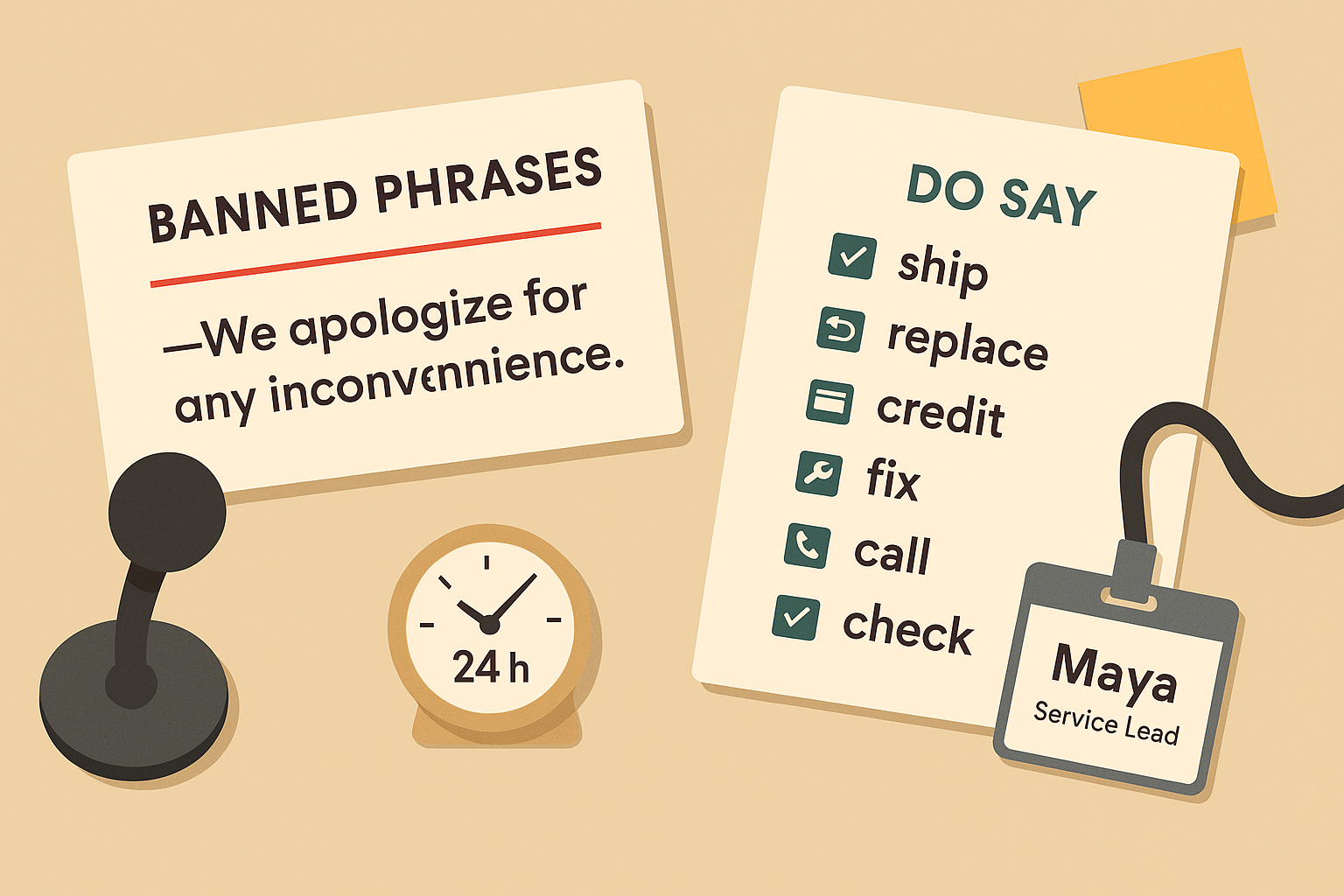
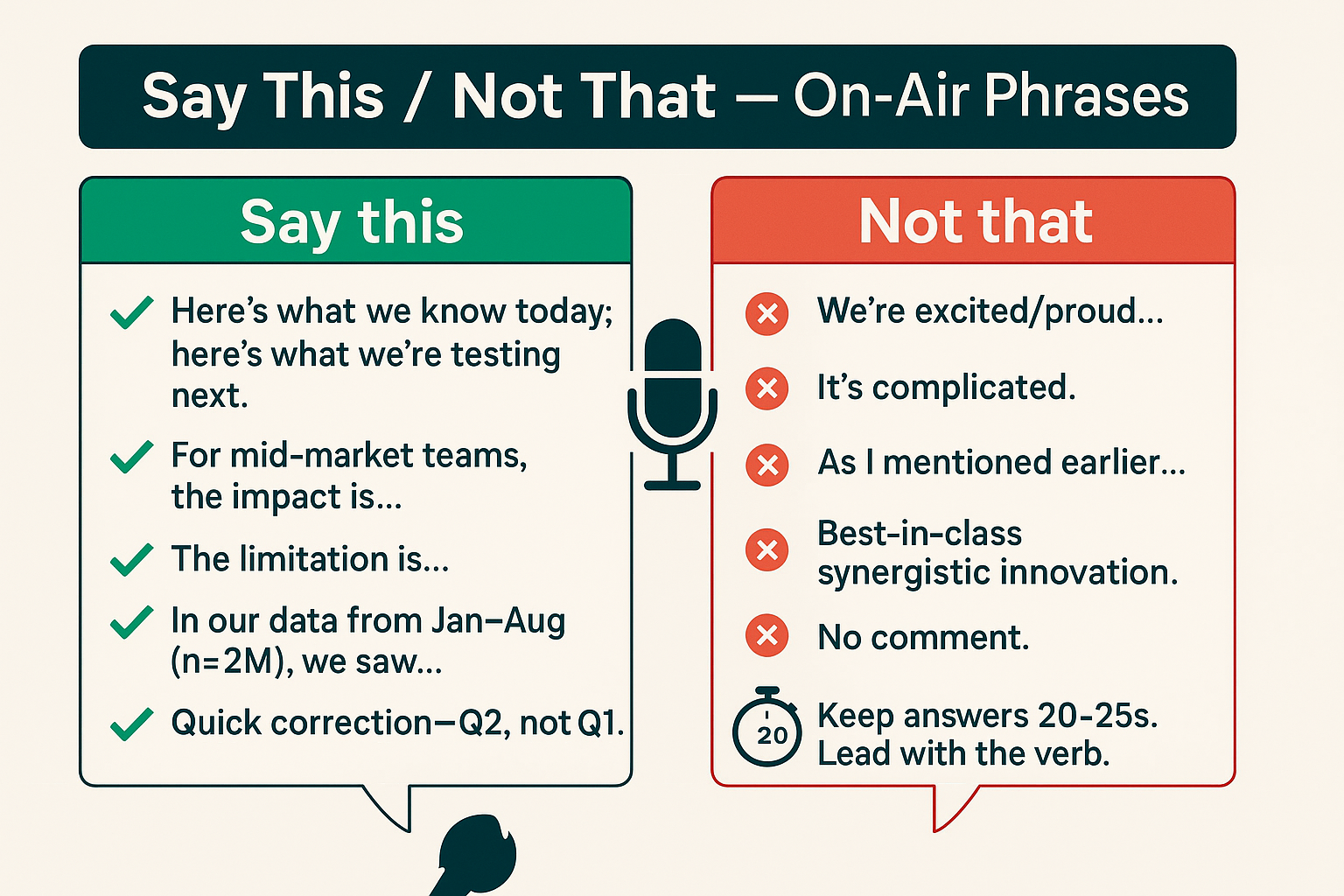
- “We apologize for any inconvenience.” → Say what happened.
- “Your feedback is important to us.” → Show what you did.
- “Per our policy…” → Put the policy in a link; lead with the human thing first.
Tone Guide (Mini Style Sheet)
- Voice: direct, warm, specific.
- Sentence length: <18 words on average; 1 idea per sentence.
- Names: use yours and theirs (when public).
- Brand words: use sparingly; avoid slogans.
- Emoji: 0–1 max; avoid in serious contexts.
- Format: short paragraphs, line breaks; bullets for steps.
- Accessibility: avoid tiny screenshots; add alt text; high‑contrast colors in images.
Operations: Make It Scalable Without Sounding Samey
Macro‑with‑Edit Workflow
- Start from a framework (GLOW/CARE/HEARD).
- Pull context from the ticket (names, dates, SKU).
- Add one fresh detail from the review you’re replying to.
- Sign with a real person and a reachable inbox.
Team Playbook
- A 1‑page cheat sheet with 3 examples per scenario (shipping delay, wrong item, technician praise, billing confusion).
- A glossary of banned phrases and preferred verbs (ship, replace, credit, fix, call, check).
SLA & Escalation
- Respond within 24 hours; update within 72 hours if unresolved.
- If legal risk or safety issues appear, move to private channels but leave a public note that you’ve reached out.
Templates Library (editable)
Keep 15–20 short templates organized by scenario. Force a manual edit field (two brackets that must be filled) so nothing ships verbatim.
Handling Edge Cases
- Suspected fake or competitor reviews: flag per platform rules; post a brief factual reply (“We can’t find your order under this name; please DM order # and we’ll help”).
- Staff call‑outs (good): pass to HR for recognition; ask the reviewer’s permission to repost.
- Staff call‑outs (bad): acknowledge, apologize, and take it offline with a manager’s contact; do not debate.
- Legal/medical topics: avoid advice; acknowledge and route to official guidance.
- Refund/incentive asks in public: move to private promptly, then return with a closure note once resolved.
Measurement: What “Good” Looks Like
Leading indicators
- Response time (avg/95th).
- % reviews with a specific detail referenced in replies.
- Helpful/Not helpful vote ratio on platforms that support it.
- Resolution cycle time for escalations.
Lagging indicators
- Volume of new reviews per 100 orders/visits.
- Rating distribution (p5, median, p95), not just averages.
- Share of reviews that mention staff or a specific feature.
- Local pack ranking lift (if multi‑location).
- Conversion rate from review page traffic.
Quality check for “robotic” drift
- Duplicate‑reply % by week (target <10%).
- Lexical diversity score (type/token ratio) on replies.
- Random 20/100 audits by a manager with a 5‑point human‑voice scale.
Compliance & Policy Quick Notes
- No review gating: don’t filter who you ask for a review based on likelihood of positivity.
- Incentives: only where allowed and always disclose.
- Privacy: remove order IDs/PII from public replies; keep details in private channels.
- Attribution: if a review influenced a change, say so in the changelog—closing the loop.
Local SEO & Product Pages (Bonus)
- Add schema.org/Review markup to owned pages where appropriate; keep quotes verbatim.
- Surface 2–3 themed snippets (shipping, fit, support) with filters so shoppers can scan quickly.
- Use UGC photos with permission; compress for performance; write alt text that states the product, context, and defect/fix if relevant.
Mini Workshop (15 Minutes)
- Pick 3 recent reviews: 1 positive, 1 neutral, 1 negative.
- Draft replies using GLOW/CARE/HEARD.
- Strip canned phrases.
- Add one concrete, verifiable detail to each.
- Set a reminder to follow up publicly when the fix ships.
Conclusion
Reviews are not a scoreboard; they’re a conversation. Treat them like one. Ask at the right moments, invite specifics, and reply with clarity and empathy. With a light automation layer—and a heavy human edit—you’ll earn better reviews, better search performance, and better product decisions.
Add comment